
If you are evaluating a human-in-the-loop document validation tool, the important question is not simply whether a platform allows manual review. The real question is how effectively it identifies uncertain data, routes exceptions to the right reviewer and returns validated information to your ERP or business system.
A reliable Intelligent Document Processing platform should assign confidence at field level, distinguish critical from non-critical exceptions, provide the reviewer with the original document and relevant business context, and preserve a complete audit trail.
This guide explains how human-in-the-loop document processing works, which capabilities to compare across IDP platforms and how to design a validation workflow that reduces unnecessary manual review without allowing low-confidence data to enter operational systems unchecked.
What is Human in the Loop in document processing
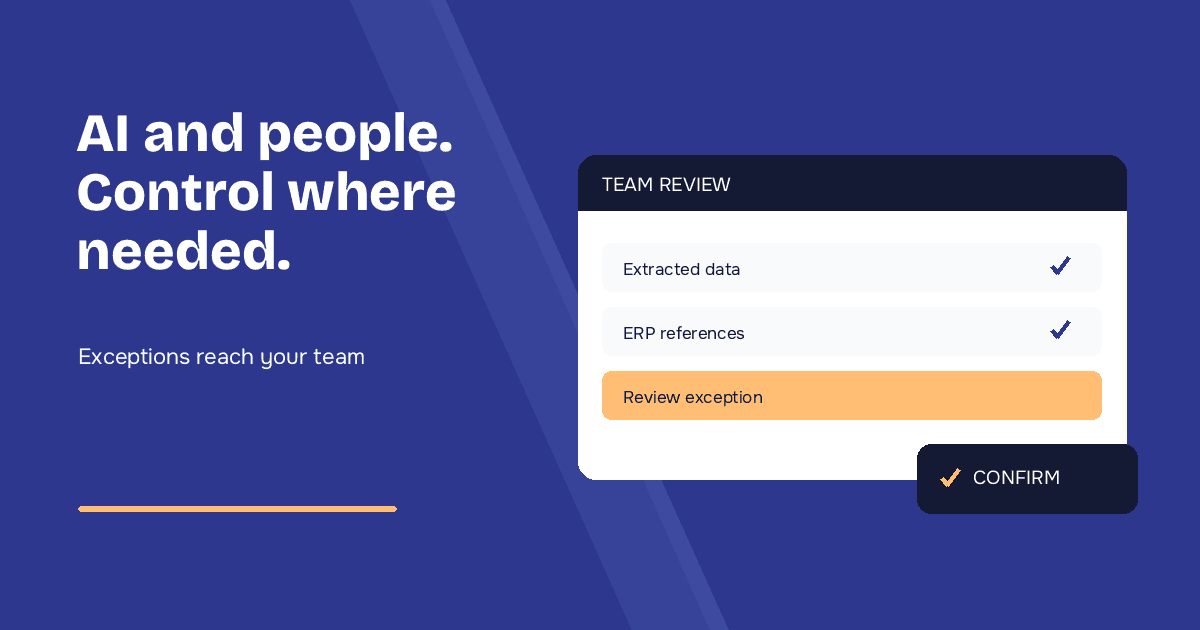
When we talk about Human in the Loop (HITL) in document processing, we are talking about an architecture where artificial intelligence never works “alone”, but always has an exit route: user intervention when necessary.
In practice, the document processing AI system reads the document (electronic XML invoice, scanned delivery note, customer order in PDF, etc.), extracts structured data, processes it — and then asks the operator for confirmation when the confidence level is not sufficiently high.
How Human in the Loop works in business document management
In the real world of businesses, this means:
- AI handles the bulk of repetitive work: automatic data extraction from e-invoices, transport delivery notes, B2B orders, customs documents.
- People intervene only on ambiguous, complex or critical cases: poorly scanned documents, non-standard layouts, inconsistent values, new suppliers.
- Corrections create feedback data that teams can analyse before changing instructions, configurations or models.
This is the opposite of “let the machine do everything and hope for the best”: it is a way of designing business processes where responsibility, quality control and automation coexist sustainably.
How to Evaluate Human-in-the-Loop Document Validation Tools
Most IDP platforms can display an extracted field beside the original document. That alone does not make the review process efficient. When comparing human-in-the-loop document processing tools, evaluate the complete exception workflow.
| Capability | What to verify | Why it matters |
|---|---|---|
| Field-level confidence | Confidence for individual fields and line items | A document-level score may hide one critical uncertain value |
| Configurable thresholds | Thresholds by document type, field and process | A supplier ID and a product description do not carry the same risk |
| Exception routing | Assignment by role, business unit or exception type | Review reaches the person who understands the business context |
| Contextual validation | Access to ERP master data, orders and related documents | Validation becomes a business decision rather than visual transcription |
| Audit trail | Original values, corrections, reviewers and timestamps | Corrections remain explainable and auditable |
| ERP integration | Submission, retries, rejection handling and status feedback | Validated data must return safely to the operational workflow |
| Review analytics | Review time, exception rate and recurring corrections | Teams can identify where automation is actually improving |
How Low-Confidence Document Results Should Be Prioritised
A useful review queue should not treat every document in the same way. It should prioritise exceptions according to confidence, business impact and operational urgency.
- Field confidence: route fields that fall below the approved threshold.
- Business criticality: prioritise amounts, quantities, supplier identifiers and order references over descriptive fields.
- Cross-document inconsistency: highlight discrepancies between purchase orders, delivery notes and invoices.
- Unknown layouts or suppliers: separate genuinely new cases from recurring document formats.
- Operational deadlines: escalate documents blocking warehouse receipt, invoicing or payment.
This approach reduces unnecessary review while ensuring that uncertain or commercially significant data cannot pass silently into downstream systems.
Why Full Automation Fails on Real Documents
Many articles on Human in the Loop stop at the theoretical concept: “AI makes mistakes, a human needs to check.” That is true, but it is only half the story for businesses handling real-world documents.
If you have ever managed the document flow of a real company, you know the situation is far “messier” than any idealised dataset.
Concrete examples from real business environments
- Electronic invoices (XML and PDF): structurally perfect formats — until a supplier attaches a digitally signed PDF with handwritten notes that modify amounts or descriptions.
- Warehouse or job-site delivery notes: PDFs generated from the ERP, perfect in theory, but then printed, filled in by hand to add notes, signed, scanned crookedly and sent back via email or messaging apps.
- Multi-channel customer orders: smartphone photos of handwritten orders, emails with poorly pasted Excel tables, PDFs with “creative” layouts that vary from supplier to supplier.
- International transport documents: scanned CMR forms, customs declarations with illegible stamps, documents in multiple languages on the same logistics flow.
The consequences of full automation without human oversight
In such real-world scenarios, insisting on 100% full automation means choosing between:
- Silently accepting errors, with direct impacts on invoicing, logistics, payment deadlines and fiscal compliance.
- Reverting to manual data entry, completely nullifying the investment in artificial intelligence and document processing.
Human in the Loop avoids this false choice: AI handles repeatable extraction and classification work, while qualified operators retain control over ambiguous or high-risk decisions.
Human in the Loop in Typelens: how it really works
Typelens is designed to automate business document processing: it reads emails and attachments, recognises document types such as invoices, customer orders and delivery notes, extracts relevant data and connects the validated output to downstream business workflows.
Throughout this automated flow, human validation can be designed as an explicit exception path, with review rules based on confidence, business criticality and the organisation’s risk policy.
The operational Human in the Loop workflow in Typelens
1. AI processes and extracts data
Typelens recognises the document class and automatically extracts all key fields: master data, detail lines, amounts, external references and commercial terms.
2. Confidence score assignment
Each extracted field can be evaluated using a confidence score. The workflow can then apply different review thresholds to identifiers, quantities, dates, amounts and descriptive fields, according to their operational risk.
3. Intelligent validation with AI notes
In the Typelens interface, the operator sees the original document and extracted data with contextual AI notes for each field: matching with ERP master data, links to previous documents, discrepancy alerts (for example, “Received 8 units of 14 ordered in PO-2024-156”), and automatic conversions. They can correct, approve or put a case on hold. Relevant context is presented in the validation workflow without requiring manual re-entry.
4. Continuous learning
Corrections create useful feedback data. Teams can analyse recurring exceptions, improve instructions or configurations, and evaluate model changes against representative documents before expanding automation.
HITL in Business Processes: Informational vs Operational
Online you will find many “informational” articles on Human in the Loop: academic definitions, generic benefits, theoretical use cases.
What is often missing is the operational perspective, meaning: how do I insert this TOMORROW into a real process at my company?
HITL becomes operational when...
In a context like Typelens for businesses, Human in the Loop truly becomes operational when:
1. Custom threshold configuration
Define different confidence thresholds by document type and field. The approved threshold should reflect the operational impact of an incorrect value and the reliability observed on representative company documents.
2. KPIs and metrics
Monitor the percentage of documents requiring review, validation time, correction rate, recurring exception categories and downstream rejection rate. Targets should be established from the company’s own baseline rather than generic benchmarks.
3. Roles and responsibilities
Assign validations by department: administration for invoices, customer service for orders, logistics for delivery notes, CFO for significant amounts.
4. Track every action for compliance and audit trail
Essential for companies subject to fiscal controls and quality audits:
- Who modified which document, when, with what before/after values
- Timestamp of every operation (receipt, AI processing, validation, ERP submission)
- Reasons for any rejections or suspensions
- Complete history for every processed document according to the configured retention and audit policy
- AI notes and reasoning: traceability of the system’s automatic reasoning for each extracted field, with references to master data matching, document links and applied conversions
Here Human in the Loop ceases to be a “nice theoretical idea” and becomes a true design pattern for intelligent and controlled automation of business document management.
Concrete Advantages for Businesses Using Typelens with Human in the Loop
Integrating intelligent user validation into a document processing software does not slow automation: it makes it sustainable, scalable and reliable in the long term.
With Typelens + HITL, an administrative, customer service or logistics team can achieve measurable, concrete benefits:
1. Fewer errors, reliable data in ERP
Data validated by those who know the process, customers and exceptions drastically reduces invoicing errors, planning problems and disputes.
2. More time for value-added activities
The operator checks rather than types; thanks to AI notes, all context is immediately available. Time freed up for customer relationships, negotiations, urgent cases.
3. Easy AI adoption
The control dashboard lowers internal resistance: AI enhances people, it does not replace them.
4. Automation extended to imperfect documents
Even scans, photos and non-standard layouts enter the automated flow, because human validation is always available.
5. Compliance and traceability
A review history can support internal controls and audit processes when it is configured consistently with the organisation’s retention, security and compliance requirements.
Illustrative Human in the Loop Use Cases
The following scenarios illustrate how HITL can be designed. They are not presented as measured customer results.
Case 1: Manufacturing company – customer order validation
Sector: Mechanical component production
Problem: Orders arrive via email in different formats (PDF, Excel, plain text)
HITL design: orders with new layouts, ambiguous quantities or unmatched product codes are routed to customer service. Validated records can then continue to the order-management system with the correction history attached.
Case 2: Pharmaceutical distributor – supplier delivery note management
Sector: Pharmaceutical distribution
Problem: Delivery notes with batches, expiry dates and controlled temperatures to validate for compliance
HITL design: uncertain batch numbers, expiry dates or temperature-related exceptions are routed to the appropriate quality role. The reviewer should see the source document, extracted values and relevant order or master-data context together.
Case 3: Accounting firm – client supplier invoices
Sector: Professional accounting services
Problem: Mix of XML electronic invoices and foreign PDF invoices
HITL design: foreign invoices, unfamiliar layouts and multi-currency exceptions are routed to an accountant, while records that satisfy the approved rules can continue through the configured workflow.
How to Implement Human in the Loop in Your Company
Step-by-step implementation
Analysis: map current documents, volumes and manual entry times.
Configuration: define critical fields and minimum confidence thresholds.
Pilot: start from a contained case and monitor review rate, validation time, corrections and downstream rejections.
Scale up: gradually expand, use correction data to improve AI models.
Frequently Asked Questions
Which IDP platforms support human-in-the-loop validation?
Many IDP platforms provide some form of manual review. The relevant differences are field-level confidence, configurable thresholds, exception routing, contextual business data, audit trails and the ability to measure recurring corrections.
How does confidence scoring reduce manual document review?
Confidence scoring allows a workflow to send uncertain or business-critical fields to a reviewer. Higher-confidence data can continue automatically when the organisation’s approved risk rules permit it.
Should every extracted document be reviewed by a person?
Not necessarily. The appropriate policy depends on document type, field criticality, process risk and the reliability demonstrated on representative company documents.
How does human-in-the-loop document processing integrate with an ERP?
The IDP platform extracts and validates data before sending an approved record to the ERP. Exceptions should remain in a review queue, with corrections and submission outcomes recorded in the audit trail.
Why Human in the Loop is Central to Typelens
Human in the Loop is not a temporary compromise while waiting for artificial intelligence to become 100% infallible: it is the healthiest, most sustainable and most responsible way to bring AI into the critical processes of a business.
In Typelens this translates concretely into intelligent workflows where:
- AI does the heavy and repetitive work (extraction, classification, data structuring)
- People maintain control over what truly matters (quality, compliance, business relationships)
- Correction data can be reviewed to improve instructions, configurations and future model evaluations
- The company scales automation without proportionally increasing the team
For companies that manage invoices, delivery notes, B2B orders and transport documents, Typelens with Human in the Loop provides a way to combine document automation with explicit exception handling, human review and traceable decisions.
If you want to see live how intelligent document validation with Human in the Loop works in Typelens, request a personalised demo for your specific use case.